
GoWIX Cloud
GoWIX Cloud is a cloud PACS with no server at the hospital. Images from your equipment are uploaded over an encrypted connection, and radiologists open them straight in a web browser. There is no server to buy, install or replace, and storage grows as you use it.
Only hospitals that have been invited can sign up for GoWIX Cloud.
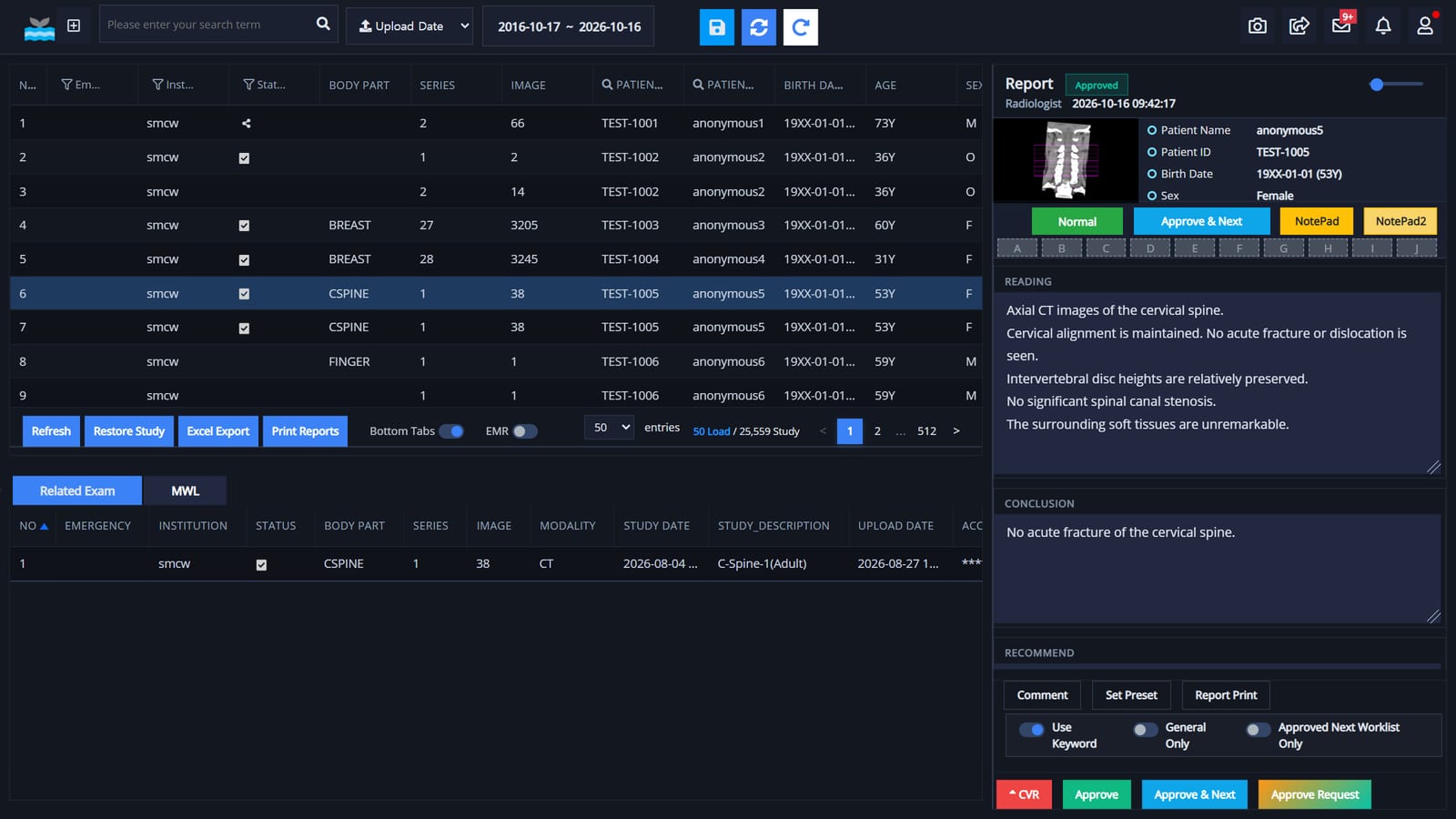
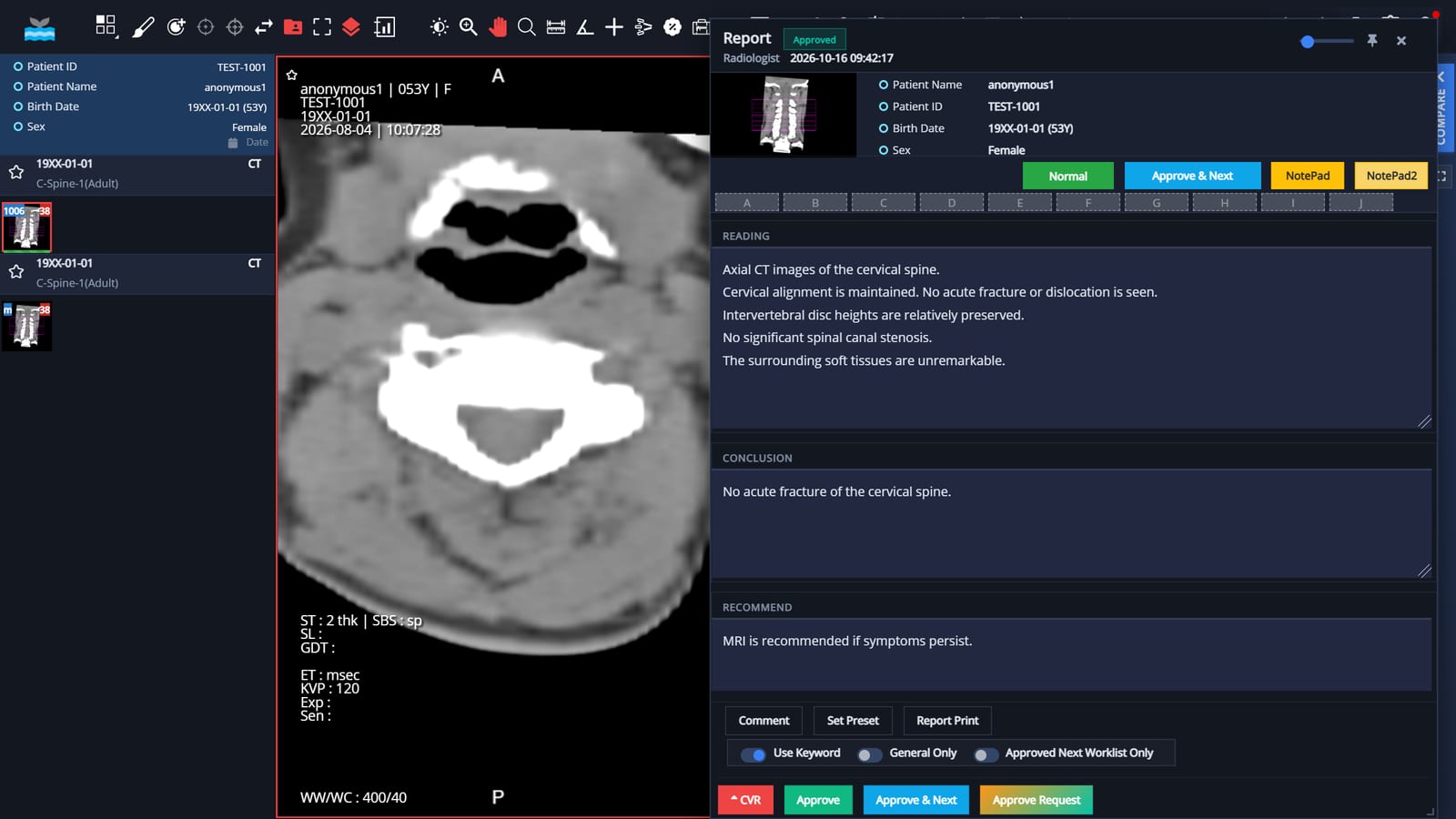
- Accessibility and convenience. GoWIX Cloud uses a web-based interface, so you can view and download images inside or outside the hospital on supported devices such as smartphones, tablets and desktops.
- Data security and backup. GoWIX Cloud provides automatic backup and disaster recovery. GoSync sends images from the hospital network over an encrypted TLS connection.
- Seamless connectivity. GoWIX Cloud is designed to work with electronic medical record (EMR) systems, other medical software and AI models, so teams can view and share information.
Regulatory status: GoWIX, GoDR and GoStitching are medical devices certified in Korea (MFDS). They are not FDA-cleared and do not carry CE marking.
Why GoWIX — more efficiency, less burden
Space
As a cloud service, GoWIX needs no server room. The space stays free for patient care.
Management
No hardware or software to install: a web browser is enough. Upgrades and management are simple, and regular checks are done remotely.
Ease of use
The EMR connects by calling a GoWIX address (URL). Connections to medical equipment follow the international DICOM standard.
Set-up cost
The IT resources a PACS needs (hardware, software, applications) run in the cloud, which lowers set-up, staffing and maintenance costs.
Maintenance
No separate maintenance fee as the system ages: the same service continues for a fixed monthly fee.
Security
GoWIX runs on a proven global cloud service and keeps medical information safe.
Key features
01. Modern web
- Built on the HTML5 web standard. No viewer program to install.
- Runs in current browsers such as Google Chrome and Microsoft Edge.
- Also works on Mac, Linux, tablets and smartphones.
- Use it anywhere with an internet connection.
- Plays video DICOM as well.
02. Access control
- User sign-in can use a cloud identity service, following hospital policy.
- Images created at a facility are viewed only at that facility.
- Only authorized users can share images with another facility.
03. HIS and EMR integration
- The EMR calls a GoWIX address (URL)
- Shared database tables
- HL7 support
- Other methods by agreement
Connected EMR systems are listed on GoWIX EMR compatibility.
04. Supported DICOM services
- DICOM Storage SCP & SCU
- DICOM Echo SCP & SCU
- DICOM Query/Retrieve SCP & SCU
- DICOM Modality Worklist SCP
- DICOM Storage Commitment SCP
- DICOM MPPS SCU
- DICOM Print SCU (in development)
05. Security recommendations
- HTTPS only. A hospital domain and SSL certificate are assigned, and the internal network is set up for HTTPS as well.
- Uses the security features of the Microsoft cloud platform.
- Security updates are provided, and cybersecurity recommendations are followed.
- Medical equipment is never connected to the internet directly. It talks to the cloud only through the gateway software (GoSync) installed on a PC in the hospital.
06. Service and support
- Reach us any time through the chatbot.
- A service desk with real-time status of each request.
- Incident response and bug fixes
- Development of additional features
System architecture
When the HIS sends a request, GoWIX carries it out. Using the information from the HIS, GoWIX retrieves images from the existing PACS storage with DICOM Query/Retrieve. Access to the existing PACS is read-only, with the cooperation of the HIS team.
- HospitalHIS and EMR, imaging equipment, existing PACS storage
- GoWIXDICOM image acquisition, worklist, reporting, storage and compression
- Internet (SSL)Encrypted HTTPS connection
- UsersGoWIX sites A, B, … opened in a web browser
Server features
- DICOM 3.0 image acquisition, DICOM Modality Worklist SCP
- Flexible database integration and a simple OCS and EMR interface
- Secure HTTPS links with other facilities
- AI model integration
- Storage and compression manager
- Teleradiology and cloud support
GoSync
GoSync is the connection program included with GoWIX Cloud. It moves images safely between the equipment in your hospital and the cloud. It is simple to install; after installation you sign in with your registered email and password.
GoSync runs over an encrypted network (TLS) between the hospital's private network and the cloud. Modalities such as X-ray equipment stay inside the private network, and GoSync uploads their images securely.
GoSync includes an interface to the hospital information system (HIS), which needs to be agreed with the HIS provider. Once connected, GoSync looks up study information with DICOM Modality Worklist and can send reports created in GoWIX Cloud to the HIS. It also provides auto-matching, which pairs study orders with the studies acquired.
Client viewer
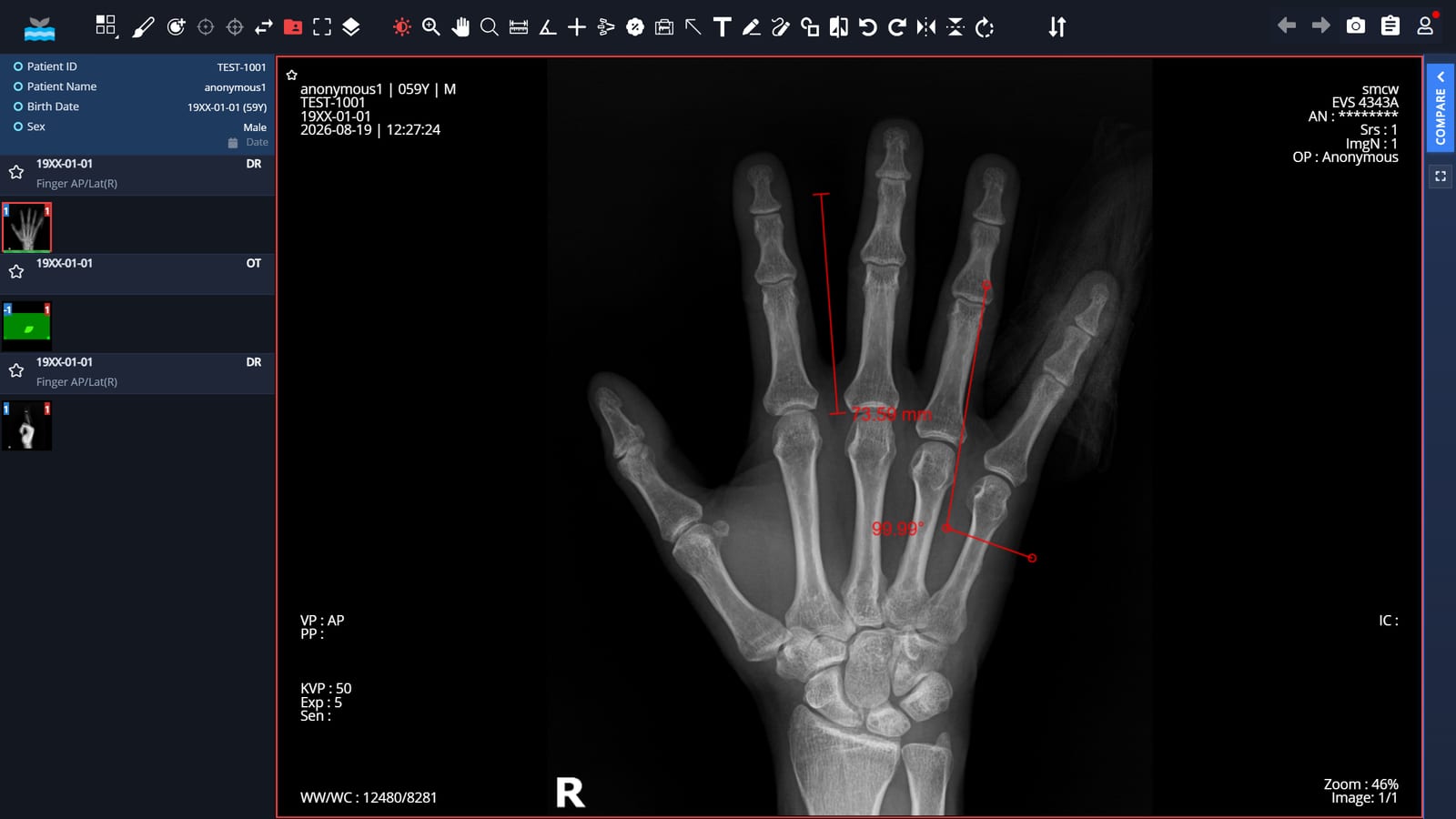
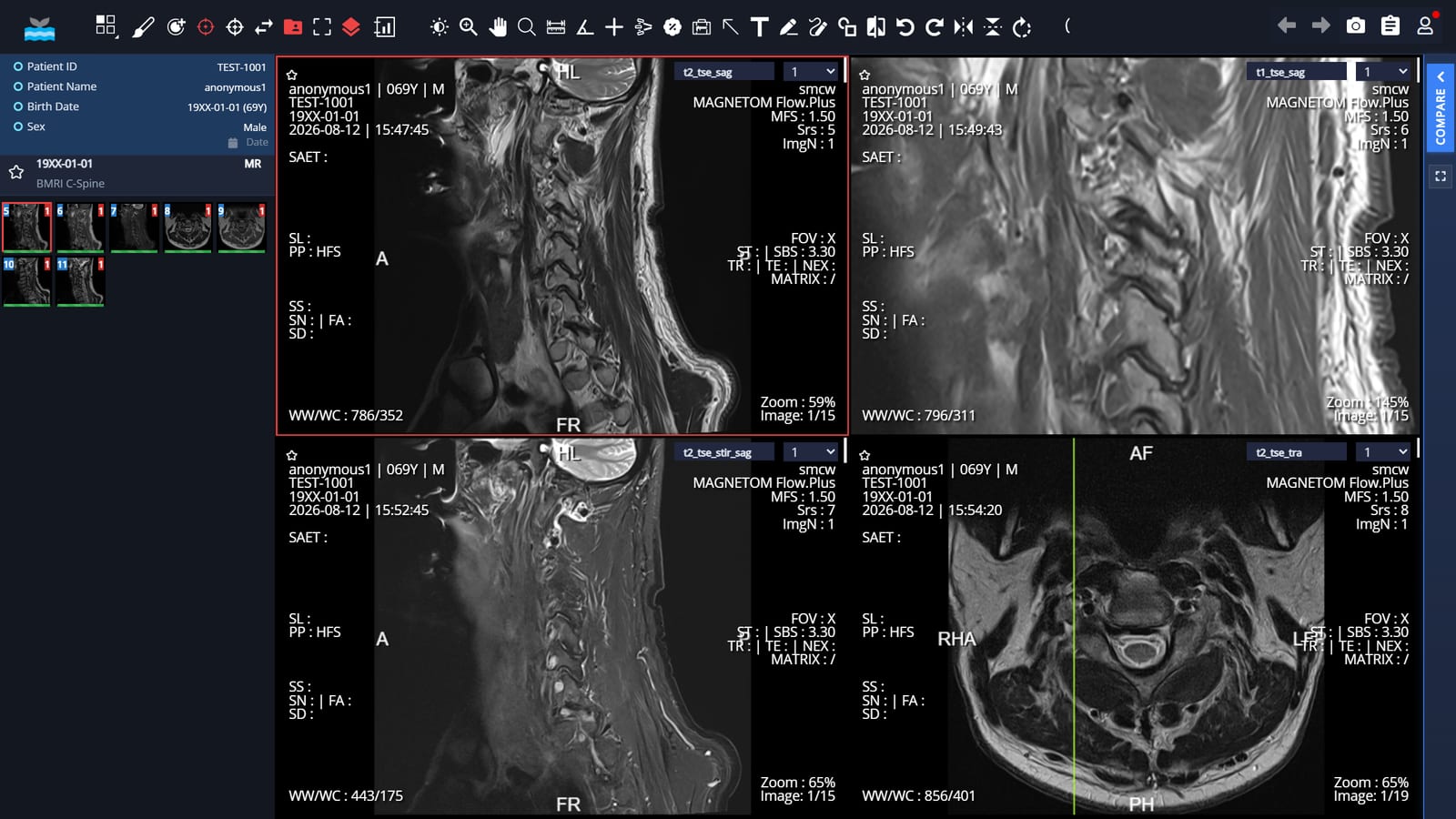
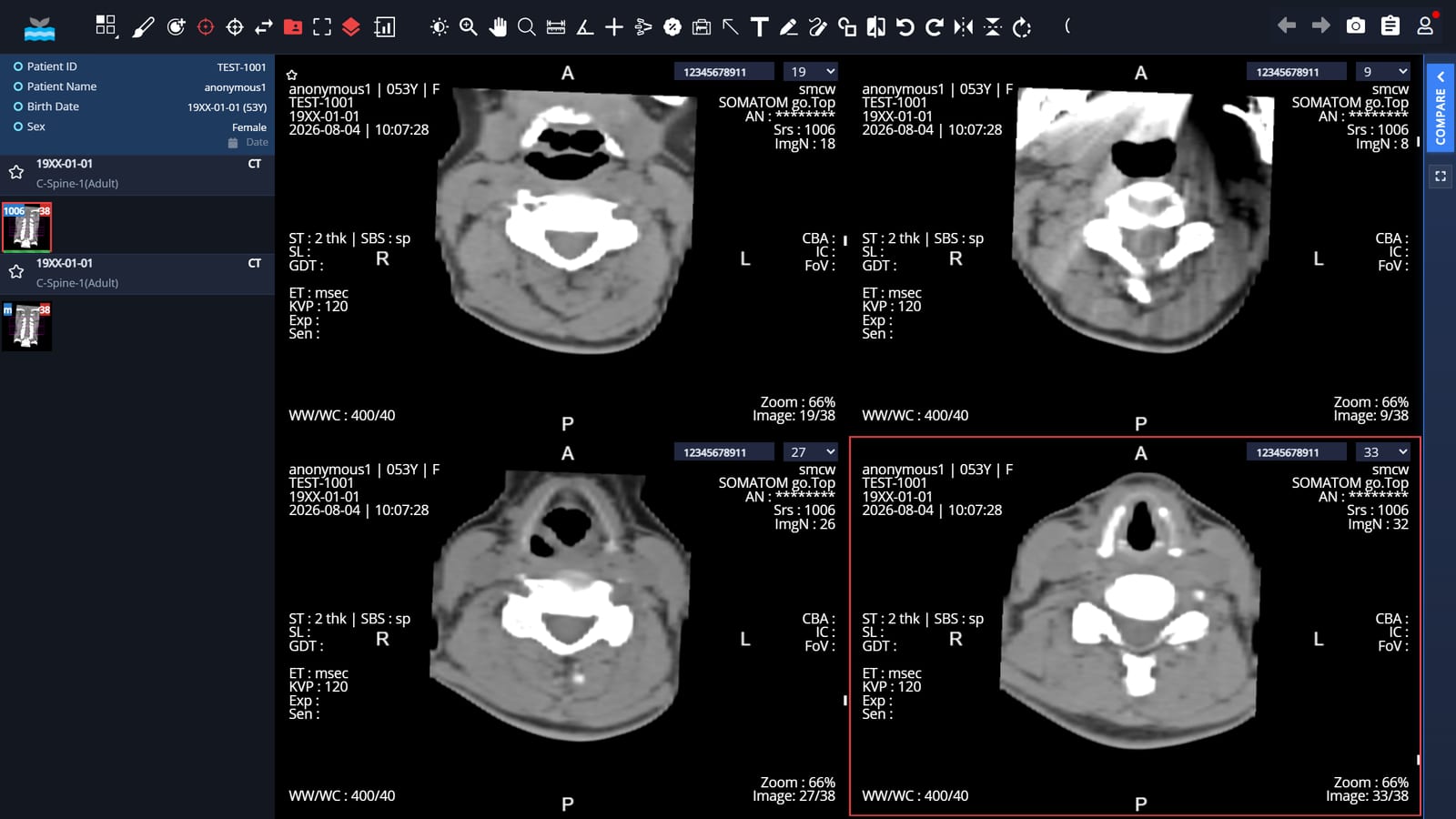
- Supports current web browsers such as Google Chrome and Microsoft Edge (no installation needed).
- Diagnostic multi-monitor setups are supported by the GoWIX Chrome Extension in the Chrome Web Store. GoWIX Extension
- A redesigned worklist and a study viewer that shows the same patient's prior studies.
Viewer features
- Many DICOM image formats and screen layouts.
- One standard monitor (FHD or UHD) plus two reading monitors.
- Zoom, rotate, window width and level (WWL), pan and scroll, invert, annotation, measurement, magnifier, real-size view
- Series, stack and cine views, scout image functions, full-screen mode
- Related-exam comparison and an exam compare mode
- Screen modes: Study Viewer, Report, Cross Link, 3D Cursor, Smart Compare Mode
- Upload DICOM images from an outside CD, and copy medical images out easily.
- OCS, EMR and HIS integration; management of DICOM and other digital image files
Patient names, ID numbers and dates of birth in the screenshots on this page are made-up demonstration values. They are not real patient information.
Minimum specifications
| Item | GoSync gateway PC (cloud) | On-premises GoWIX server |
|---|---|---|
| Processor | Intel Core i5 | Intel Core i7 |
| Memory | 8 GB | 16 GB |
| Operating system | Windows 10 Professional | Windows 10 Professional or Windows 11 Professional |
| Storage | 100 GB or more | 4 TB or more (mirrored) |
| Network | 100 Mbps or faster | 1 Gbps or faster |
| Display | FHD (1920 × 1080) | FHD (1920 × 1080) |
| Internet | Required | Required |
GoSync connects the hospital's medical equipment and EMR to the cloud. It is usually installed on a lightly used PC provided by the hospital.
GoWIX for veterinary clinics
GoWIX is also available for veterinary clinics. Veterinary clinics use the same GoWIX to store, view and share medical images, straight from a web browser.
XcaliberPACS is one of the services that run on GoWIX for veterinary clinics.
AI partner for veterinary clinics: Covet (approved in Korea as a veterinary medical device)
EMR compatibility
EMR systems that work with GoWIX.
| EMR vendor | Coverage | Worklist | Report |
|---|---|---|---|
| (주)하이젠헬스케어 | Korea | Yes | No |
| (주)이온엠솔루션 | Korea | Yes | Yes |
| (주)비트컴퓨터 | Korea | Yes | No |
| (주)이지스헬스케어 | Korea | Yes | Yes |
| (주)포인트닉스 | Korea | Yes | Yes |
| (주)유비케어 | Korea | Yes | No |
| (주)인투씨엔에스 | Korea | Yes | No |
| 브레인 | Korea | Yes | Yes |
| 엠시스텍 | Korea | Yes | No |
| 전능아이티 | Korea | Yes | No |
| K챠트 | Korea | Yes | No |
| 씨젠 | Korea | Yes | No |
| 베가스 | Korea | Yes | No |
| 우리엔 PMS365 | Korea | Yes | No |
| SIMEMR | Korea | Yes | No |
| 유진 EMR | Korea | Yes | Yes |
| 세나클 오름차트 | Korea | Yes | No |
| e-Click EMR | Korea | Yes | No |
| 우리엔 이프렌즈(동물병원) | Korea | Yes | No |